History
When you need to see what Scryer already did, look here — Activity History records operational events after they happen.
- To access: Activity → History
- To view: Requires
manageTitlesorresolveImportslibrary permission on at least one library
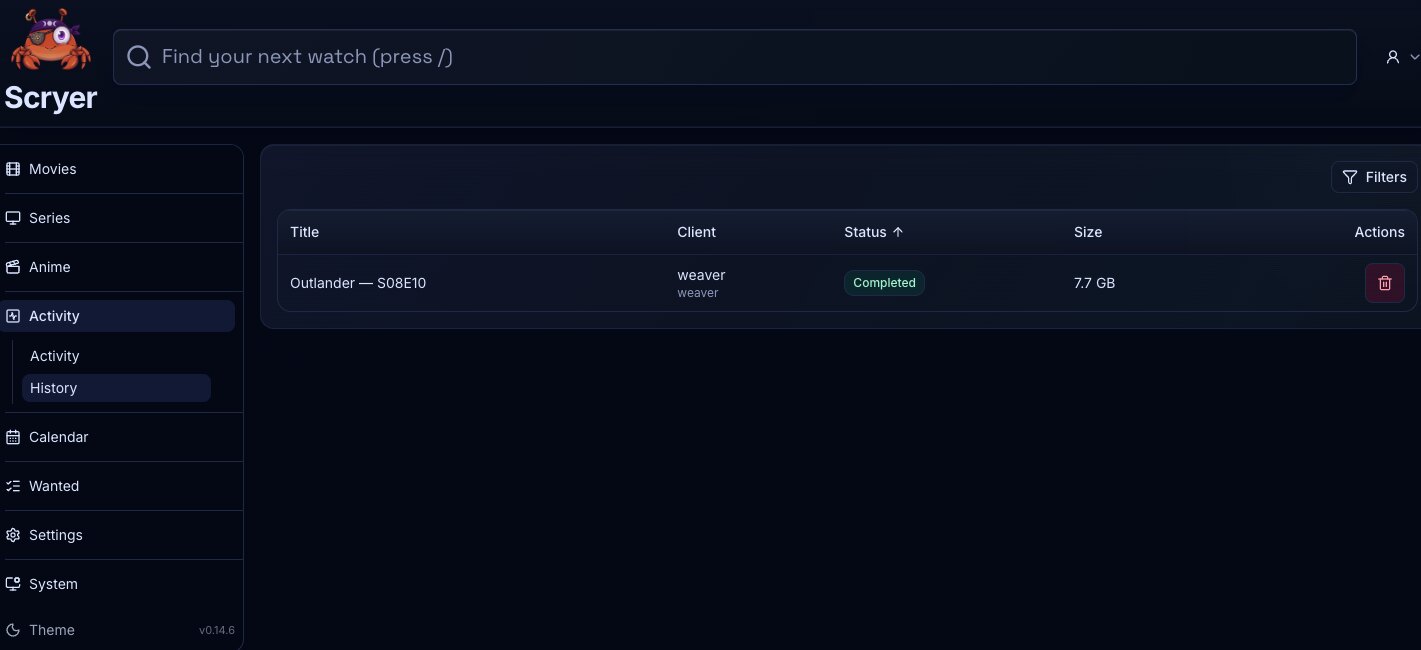
(Click to Zoom Image)
Open Original
Working In History
Section titled “Working In History”If you need to confirm what Scryer did after an import, scan, or provider action, filter by the title or event type here before drawing conclusions from current state alone.
If a title’s state looks wrong but current Activity shows nothing in flight, check here for the last recorded operation — a failed or unexpected event here often explains what current state alone does not.
- Filter by event type, title, facet, or status where supported.
- Open related title or provider records.
- Review timestamps and outcomes for previous operations.
- Confirm that an import completed and see what destination Scryer chose.
- Review a failed operation before changing settings.
- Check whether a scan or provider action already ran before triggering anything manually.
Activity History is event-centric: it answers what Scryer did. Wanted History is title-centric: it answers how wanted-item state changed for monitored titles.
Related Concepts
Section titled “Related Concepts”- Activity — live event feed showing what Scryer is currently doing or recently completed
- Activity Import — cross-facet queue of import rows waiting on a decision from you or the system
- Wanted History — title-centric log of how wanted state changed over time, complementing the event-centric record here
- System Jobs — background job list; compare job timing with history entries when diagnosing gaps