Plugins
Plugins are how you extend Scryer — each one adds provider implementations and integration behavior.
For the broader plugin model, including plugin kinds, support tiers, built-in versus community packages, and manual development installs, see Plugins.
- To access: Settings → Plugins
- To view: Requires
manageSystemSettingsapp permission
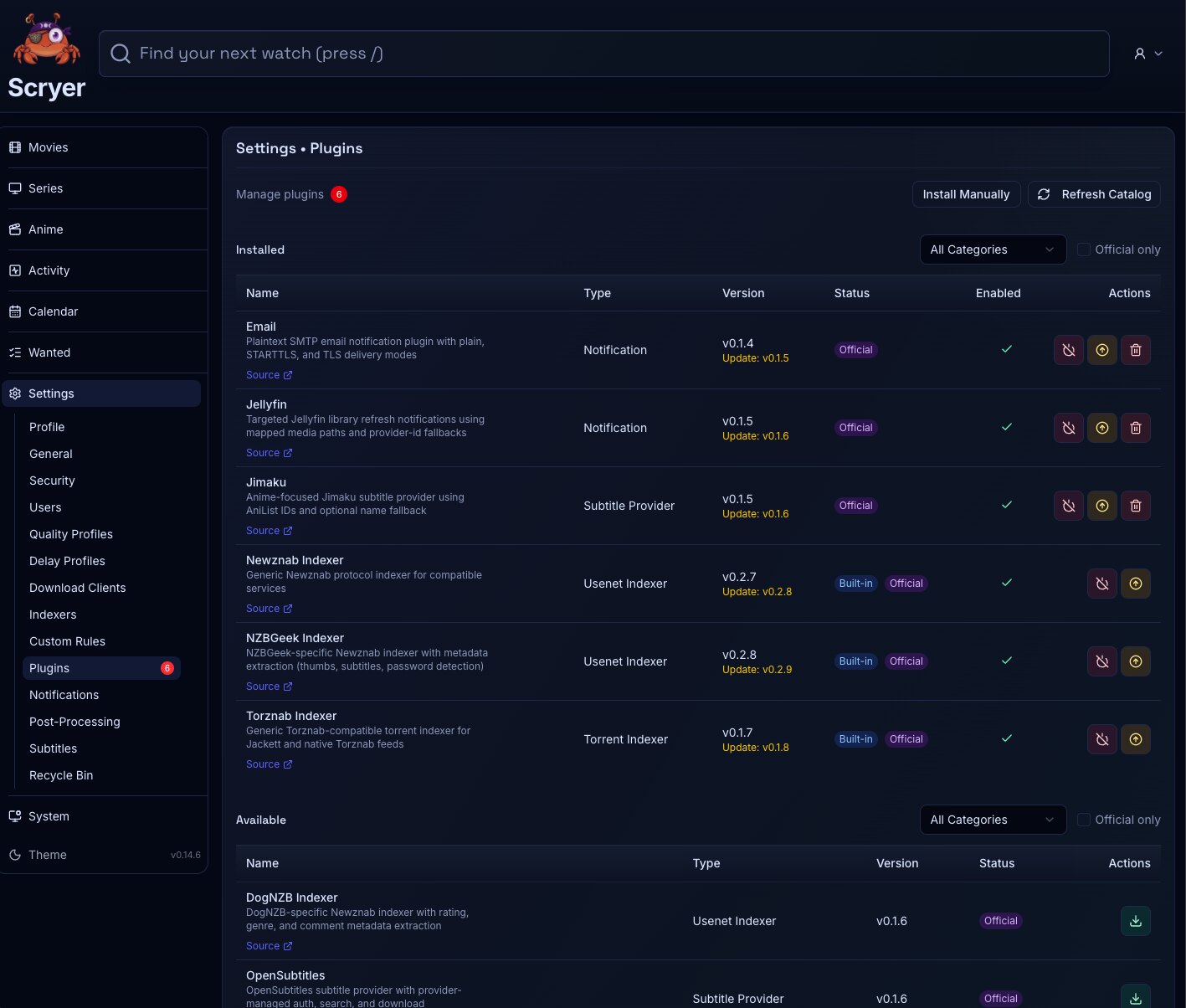
Working In Plugins
Section titled “Working In Plugins”If you need to add a new indexer, download client, notification channel, or subtitle provider, install the plugin here first — the provider instance pages won’t offer that type until the plugin is installed.
If a provider instance stopped working after an update, check whether the plugin backing it needs upgrading here before editing the instance itself.
From here you refresh the plugin catalog, install plugins from configured catalogs, upgrade them when compatible updates are available, and uninstall the ones you no longer need. You can also revert an overridden plugin back to the bundled version. Review trust and compatibility information before enabling new code.
The typical flows: refresh the catalog, then install the provider plugin a settings page requires; upgrade a plugin, then test the configured provider instances that depend on it; remove unused plugins only after confirming no configured provider instance depends on them.
Install plugins only from trusted catalogs and review compatibility before upgrading production instances. If a plugin backs configured provider instances, update the plugin, validate the instances that depend on it, then remove any superseded override or old package.
Related Concepts
Section titled “Related Concepts”- Plugins — plugin kinds, support tiers, install sources, and manual installs for development-oriented workflows
- Indexers — where indexer provider instances are created after the plugin is installed
- Download Clients — where download client provider instances are created after the plugin is installed
- Notifications — where notification channel instances are created after the plugin is installed
- Subtitles — where subtitle provider instances are created after the plugin is installed