Series Library Settings
Series Library settings are where you tell Scryer where managed series folders and episodes live.
- To access: Series → Settings → Library
- To view: Requires
manageCatalogSettingsapp permission - Also visible to: Also accept
manageSystemSettings
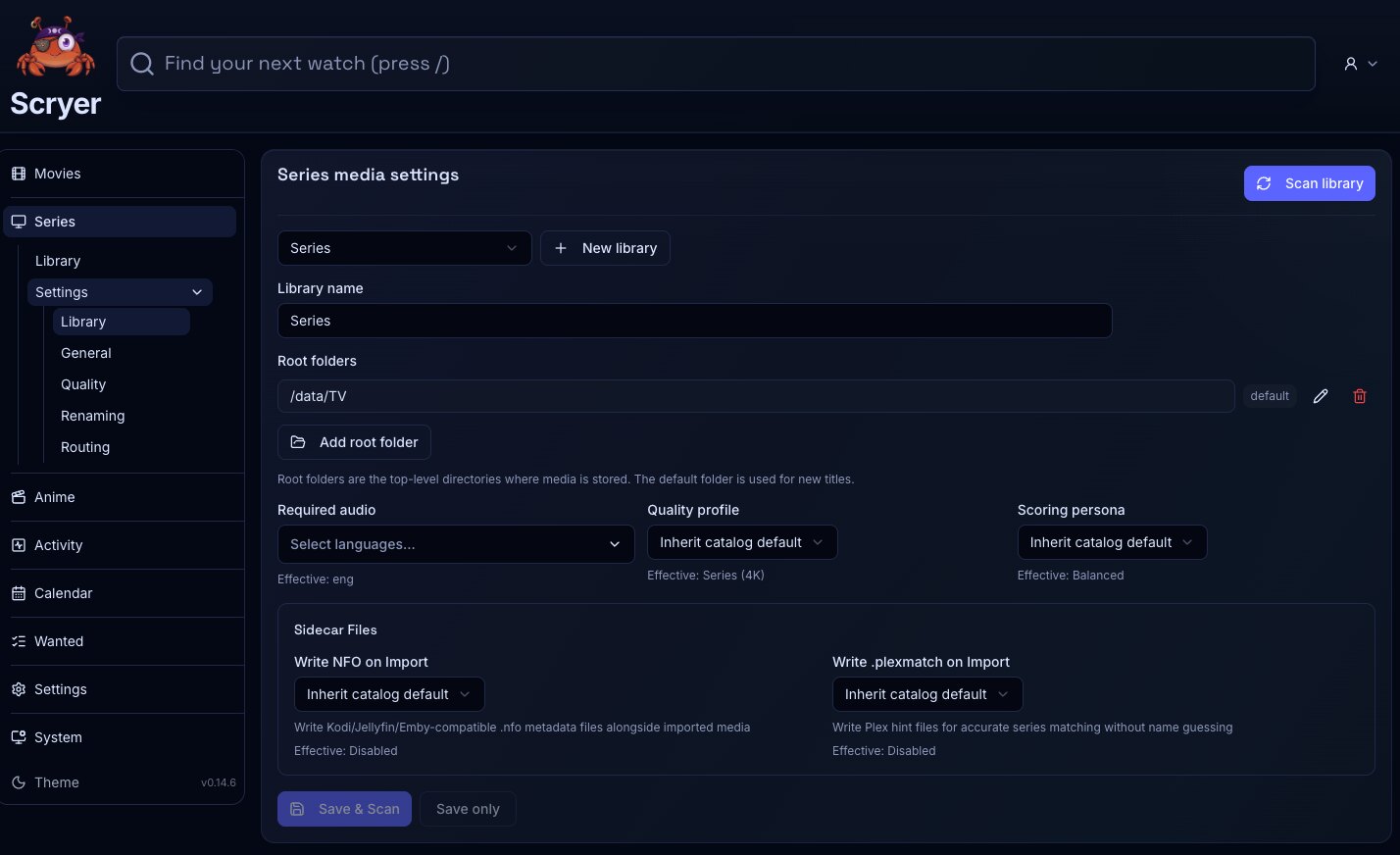
(Click to Zoom Image)
Open Original
Working In Library Settings
Section titled “Working In Library Settings”If Scryer isn’t finding series episodes you know exist on disk, check that the root path here matches what Scryer can see — container and host paths often differ in Docker setups.
If you’re adding a new storage location for series, add the root path here before adding titles that should live there. Scryer only scans paths it knows about.
- Add, edit, or remove series library roots.
- Set the default root for new series titles.
- Review scan behavior for series folders, seasons, and episodes.
- Check that root paths match the host or container paths Scryer actually sees.
- Add a root path before adding new series.
- Correct a container mount after Scryer reports missing folders.
- Run a scan after moving episodes into a managed root.
- Split series libraries when storage layout, ownership, or access policy should differ by root.
Related Concepts
Section titled “Related Concepts”- Library Layout — recommended path layout for mounting roots into Scryer from Docker or the host
- Series Import — import queue for series episode files; run a scan after adding or correcting a root to surface new files
- Permissions And Navigation — how access grants control which library roots and pages you can reach