Calendar
Check the Calendar to see what’s due and when — it shows dated title and episode events across the facets visible to you.
- To access: Calendar in the left sidebar
- To view: Requires
viewlibrary permission; entries shown reflect the libraries your account can access
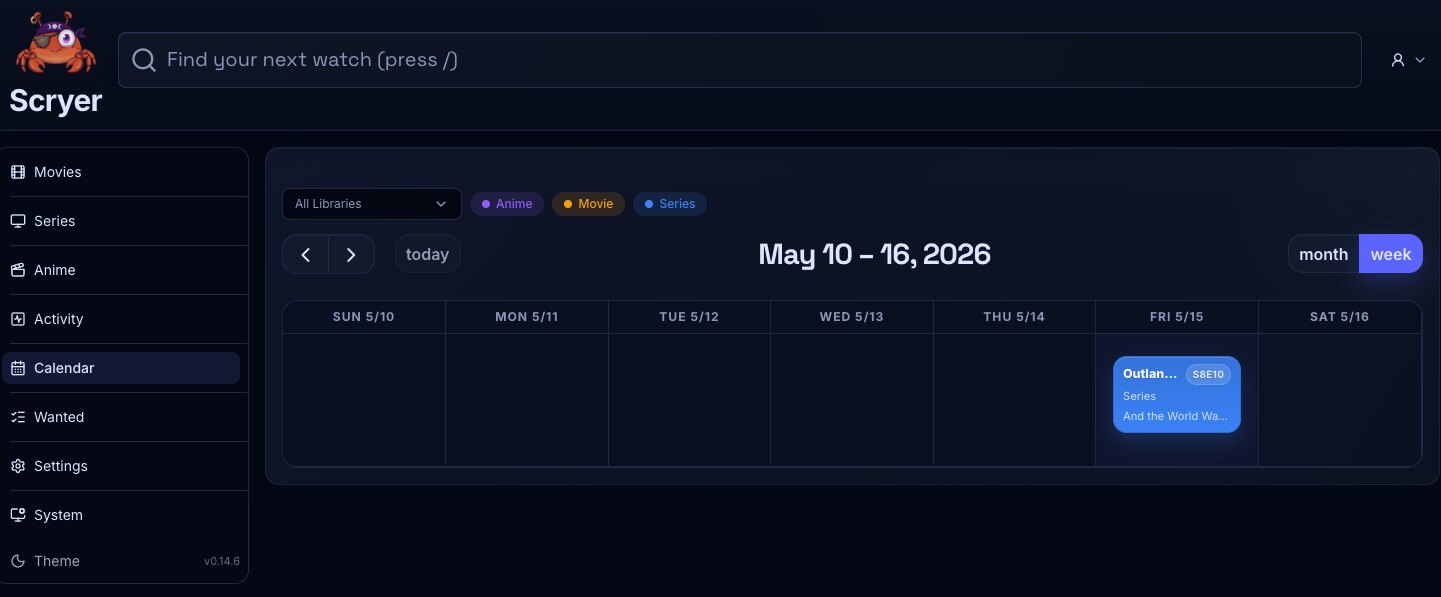
(Click to Zoom Image)
Open Original
Working In Calendar
Section titled “Working In Calendar”If you’re expecting an episode that hasn’t appeared in Wanted yet, check the scheduled air date here before assuming it’s missing — it may simply not be due yet.
If an episode is in Wanted but you’re not sure it’s actually overdue, confirm the scheduled date here first before triggering a manual search or filing it as a problem.
- Move between date ranges.
- Filter entries by facet or status where controls are available.
- Open a title or episode from a calendar entry.
- Check upcoming episodes for monitored Series or Anime titles.
- Compare calendar state with Wanted when expected items are missing.
- Use the calendar as a quick sanity check before deciding whether an item is late or simply not due yet.
Related Concepts
Section titled “Related Concepts”- Series Library — the main surface for managing monitored series titles whose scheduled episodes appear on the calendar
- Anime Library — the main surface for managing monitored anime titles whose airing schedule appears on the calendar
- Wanted Items — monitored titles that are missing a file; the calendar helps distinguish items that are simply not yet due
- Permissions And Navigation — access grants that determine which facets and library items you can see on the calendar